Skip to content
Template How-To

Template How-To

  • All Articles
  • App
  • Coding
  • Hardware
  • More
    • Operating System
    • Outlook
    • PowerPoint
    • Review
    • Software
    • Tip & Trick
    • Troubleshooting
    • Windows

Troubleshooting

A Newer Version of OneDrive Is Installed: Fix Sync Errors Now
October 7, 2026 by Joelle Janowski
A Newer Version of OneDrive Is Installed: Fix Sync Errors Now

A newer version of OneDrive is installed, and now your files are stuck in limbo between devices. That forced update just broke your sync workflow—maybe it’s stuck on “preparing to sync” or throwing error codes like…

Read more

Categories Troubleshooting

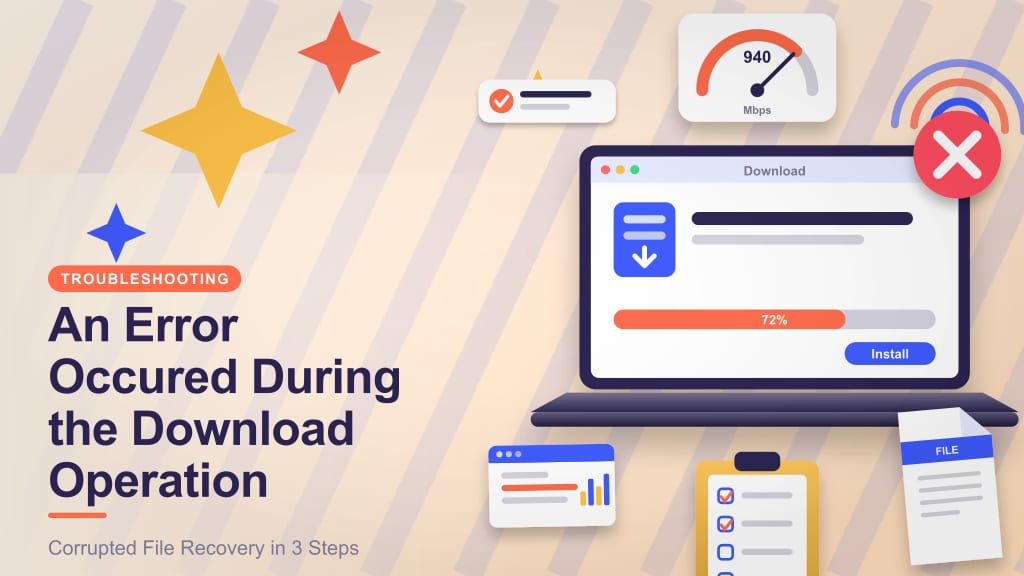
An Error Occured During the Download Operation: Corrupted File Recovery in 3 Steps

November 17, 2026 by Joelle Janowski
An Error Occured During the Download Operation: Corrupted File Recovery in 3 Steps

"An error occurred during the download operation" is the digital equivalent of a file vanishing mid-air. 💻 I’ve seen this message ruin a 20-hour download or break a critical software install—it’s infuriating, but the…

Read more

Categories Troubleshooting

Another Version of This Product Is Already Installed: Forced Reinstall Workaround for Stubborn Conflicts

October 15, 2026 by Joelle Janowski
Another Version of This Product Is Already Installed: Forced Reinstall Workaround for Stubborn Conflicts

That stubborn "another version of this product is already installed" error has blocked more reinstalls than I can count. ✨ The problem? Windows or Linux often leaves behind registry keys, leftover files, or phantom…

Read more

Categories Troubleshooting

Microsoft Office 2013: Forced Uninstall Tricks for Stubborn PCs

November 18, 2026 by Joelle Janowski
Microsoft Office 2013: Forced Uninstall Tricks for Stubborn PCs

My Microsoft Office 2013 uninstall stuck at 99% for three days straight—until I discovered these forced removal tricks that actually work. The problem isn't just stubborn installers; it's leftover registry keys, hidden…

Read more

Categories Troubleshooting

Microsoft Office 365: Force-Uninstall Tricks for Stubborn Systems

October 14, 2026 by Joelle Janowski
Microsoft Office 365: Force-Uninstall Tricks for Stubborn Systems

My Microsoft Office 365 uninstall got stuck in a loop last week—no matter what I tried, it refused to budge. 💻 The problem? Hidden admin locks, leftover registry entries, and a stubborn licensing system that wouldn’t…

Read more

Categories Troubleshooting

Can You Use Gmail for a Microsoft Account: Sync Limits and Workarounds Explained

October 14, 2026 by Joelle Janowski
Can You Use Gmail for a Microsoft Account: Sync Limits and Workarounds Explained

💥 Quick Answer You can't directly use Gmail as your primary Microsoft account email, but you can link it as an alias in Outlook or Microsoft services to enable email forwarding. Microsoft accounts require a dedicated…

Read more

Categories Troubleshooting

CVE-2022-43552 Windows: Zero-Day Exploit Patch & Protection Steps

October 9, 2026 by Joelle Janowski
CVE-2022-43552 Windows: Zero-Day Exploit Patch & Protection Steps

The CVE-2022-43552 Windows vulnerability lets attackers silently take over your PC with just a malicious file—no clicks needed. Microsoft’s emergency patch for this zero-day flaw arrived too late for millions already…

Read more

Categories Troubleshooting

10 Dangers of Oversharing on Social Media: Privacy Risks That Can Ruin Your Life

October 12, 2026 by Joelle Janowski
10 Dangers of Oversharing on Social Media: Privacy Risks That Can Ruin Your Life

Posting too much online can expose you to serious risks—from identity theft to workplace termination. These 10 dangers of oversharing on social media highlight why privacy matters more than ever in today’s digital age. 1…

Read more

Categories Troubleshooting

Error Code Ce-30035-1: Quick Fixes for Stubborn System Errors

November 17, 2026 by Joelle Janowski
Error Code Ce-30035-1: Quick Fixes for Stubborn System Errors

My system just threw error CE-30035-1 after a Windows update, and it took me three tries to finally resolve it. ✨ The frustration is real—this code usually points to a driver conflict or corrupted service file, but the…

Read more

Categories Troubleshooting

Error Code: (0x80070005): Permission Fix in 3 Clicks

October 14, 2026 by Joelle Janowski
Error Code: (0x80070005): Permission Fix in 3 Clicks

The error code: (0x80070005) has haunted me for years—until I found the one tweak that fixes it in three clicks without touching the registry. 💡 Most guides throw you into command prompts or warn about "advanced fixes…

Read more

Categories Troubleshooting
Page1Page2Page3…Page6Next →

About Me

Joelle Janowski

Joelle Janowski
My first computer was a clunky desktop my dad brought home from the office in the '90s, and I spent hours clicking through dial-up screens just to see what would happen. That curiosity never left me. Now, I run Template How-To to help people navigate the ever-changing world of tech—whether they're troubleshooting a stubborn PC, learning a new tool, or just trying to keep up with the latest gadgets. My approach? Clear, practical advice with a dash of humor, because tech doesn’t have to be intimidating.

Learn more

Recent Posts

  • How to Uninstall R From Mac: Clean Removal Without Lingering Files
    How to Uninstall R From Mac: Clean Removal Without Lingering Files
  • How to Set Up Outlook Email: Zero-Configuration Sync With Your Contacts
    How to Set Up Outlook Email: Zero-Configuration Sync With Your Contacts
  • How to Automatically Download Pictures in Outlook: One-Click Download Trick for Busy Professionals
    How to Automatically Download Pictures in Outlook: One-Click Download Trick for Busy Professionals
  • How to Turn on Push Notifications: Enable Alerts in 3 Simple Steps
    How to Turn on Push Notifications: Enable Alerts in 3 Simple Steps
  • How To Set Up Thunderbird Email: Zero-Configuration Sync for First-Time Users
    How To Set Up Thunderbird Email: Zero-Configuration Sync for First-Time Users
  • All Guides
  • About
  • Contact
  • Privacy Policy
  • Cookie Policy
  • Terms of Use
© 2026 templatehowto.work