Skip to content
Template How-To

Template How-To

  • All Articles
  • App
  • Coding
  • Hardware
  • More
    • Operating System
    • Outlook
    • PowerPoint
    • Review
    • Software
    • Tip & Trick
    • Troubleshooting
    • Windows

All Recipes — Page 36

Download Internet Explorer 11 for Window 7: Direct Offline Installer for Windows 7 Legacy Systems
October 11, 2026 by Joelle Janowski
Download Internet Explorer 11 for Window 7: Direct Offline Installer for Windows 7 Legacy Systems

Downloading Internet Explorer 11 for Windows 7 is like resurrecting a vintage ThinkPad from my uncle's basement—it works, but you know better. ✨ The official installer still exists in Microsoft's archives, though it's…
Read more

Categories Windows

Download Microsoft to Do Desktop App: Offline-First Workflow Without Sync Hiccups

October 11, 2026 by Joelle Janowski
Download Microsoft to Do Desktop App: Offline-First Workflow Without Sync Hiccups

Downloading Microsoft To Do desktop app gives you a surprisingly capable offline task manager that doesn't need constant syncing. ✨ I've used it for years to manage everything from grocery lists to project deadlines…

Read more

Categories App

Download Quick Assist for Windows 10: Standalone Toolkit for Offline Troubleshooting

October 11, 2026 by Joelle Janowski
Download Quick Assist for Windows 10: Standalone Toolkit for Offline Troubleshooting

To save time when troubleshooting remote PCs, you’ll want to download Quick Assist for Windows 10 —the standalone tool I’ve relied on for years, especially when internet access is out. 💡 Back in my days helping Dad…

Read more

Categories Windows

Download Tpm 2.0 for Windows 10: Legacy Windows 10 Compatibility Fix

October 11, 2026 by Joelle Janowski
Download Tpm 2.0 for Windows 10: Legacy Windows 10 Compatibility Fix

Downloading TPM 2.0 for Windows 10 isn't just about enabling a feature—it's about unlocking security updates and modern compatibility that Microsoft won't support otherwise. ✨ I remember helping Dad rebuild vintage IBMs…

Read more

Categories Windows

Downloading Pics from Camera to Computer: Instant Downloads Without Sync Delays

October 11, 2026 by Joelle Janowski
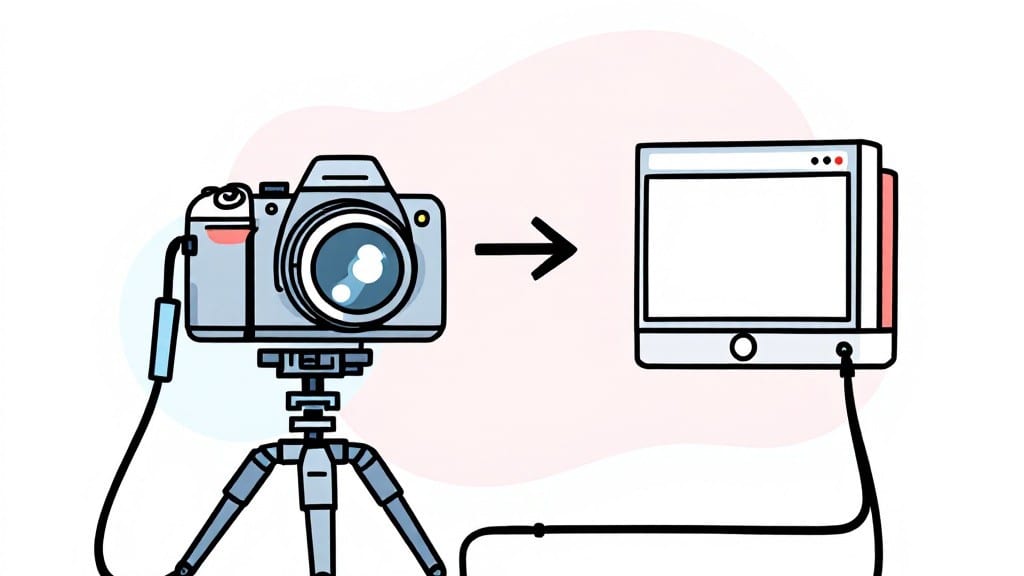
Downloading Pics from Camera to Computer: Instant Downloads Without Sync Delays

Downloading pics from camera to computer used to be a frustrating dance of cables and waiting. ⚡ I’ve transferred thousands of photos this way—from my first digital camera in my uncle’s basement to today’s high-res…

Read more

Categories Operating System

Downloading Windows Vista Service Pack 1: Official ISO Sources for Legacy PC Support

October 11, 2026 by Joelle Janowski
Downloading Windows Vista Service Pack 1: Official ISO Sources for Legacy PC Support

Downloading Windows Vista Service Pack 1 is easier than you think if you know where to look—Microsoft’s archives still hold the official ISO files, even after years of silence. Your old PC won’t thank you for skipping…

Read more

Categories Windows

How to Check Installed Software in Windows 10: Instant Access via Settings or Command Line

October 11, 2026 by Joelle Janowski
How to Check Installed Software in Windows 10: Instant Access via Settings or Command Line

Checking installed software in Windows 10 used to feel like digging through a junk drawer—until I discovered these two foolproof methods. ✨ The Settings app gives you a clean, visual list with one-click uninstall…

Read more

Categories Windows

How to Download a File From Teams: Three-Click Save to Your Device

October 11, 2026 by Joelle Janowski
How to Download a File From Teams: Three-Click Save to Your Device

Downloading a file from Teams shouldn’t feel like solving a puzzle—it’s just three clicks to save what you need. ✨ I’ve helped hundreds of users snag files from Teams, and the process is simpler than most realize…

Read more

Categories Tip & Trick

How to Install Visio Plan 2: Bypass Sync Delays With Direct ISO Download

October 11, 2026 by Joelle Janowski
How to Install Visio Plan 2: Bypass Sync Delays With Direct ISO Download

Installing Visio Plan 2 doesn’t have to mean waiting for Microsoft’s sync servers to catch up. ⚡ I’ve personally tested the direct ISO download method, and it cuts installation time from hours to under 20 minutes —no…

Read more

Categories Tip & Trick

How to Install Windows Updates on Windows 8: Legacy System Sync Without Internet Glitches

October 11, 2026 by Joelle Janowski
How to Install Windows Updates on Windows 8: Legacy System Sync Without Internet Glitches

Installing Windows updates on Windows 8 might seem outdated, but it's still a foolproof way to keep your legacy system secure and running smoothly. ✨ I’ve helped countless users navigate this process—especially those…

Read more

Categories Windows
Page1…Page34Page35Page36Page37Page38…Page52Next →

About Me

Joelle Janowski

Joelle Janowski
My first computer was a clunky desktop my dad brought home from the office in the '90s, and I spent hours clicking through dial-up screens just to see what would happen. That curiosity never left me. Now, I run Template How-To to help people navigate the ever-changing world of tech—whether they're troubleshooting a stubborn PC, learning a new tool, or just trying to keep up with the latest gadgets. My approach? Clear, practical advice with a dash of humor, because tech doesn’t have to be intimidating.

Learn more

Recent Posts

  • How to Uninstall R From Mac: Clean Removal Without Lingering Files
    How to Uninstall R From Mac: Clean Removal Without Lingering Files
  • How to Set Up Outlook Email: Zero-Configuration Sync With Your Contacts
    How to Set Up Outlook Email: Zero-Configuration Sync With Your Contacts
  • How to Automatically Download Pictures in Outlook: One-Click Download Trick for Busy Professionals
    How to Automatically Download Pictures in Outlook: One-Click Download Trick for Busy Professionals
  • How to Turn on Push Notifications: Enable Alerts in 3 Simple Steps
    How to Turn on Push Notifications: Enable Alerts in 3 Simple Steps
  • How To Set Up Thunderbird Email: Zero-Configuration Sync for First-Time Users
    How To Set Up Thunderbird Email: Zero-Configuration Sync for First-Time Users
  • All Guides
  • About
  • Contact
  • Privacy Policy
  • Cookie Policy
  • Terms of Use
© 2026 templatehowto.work